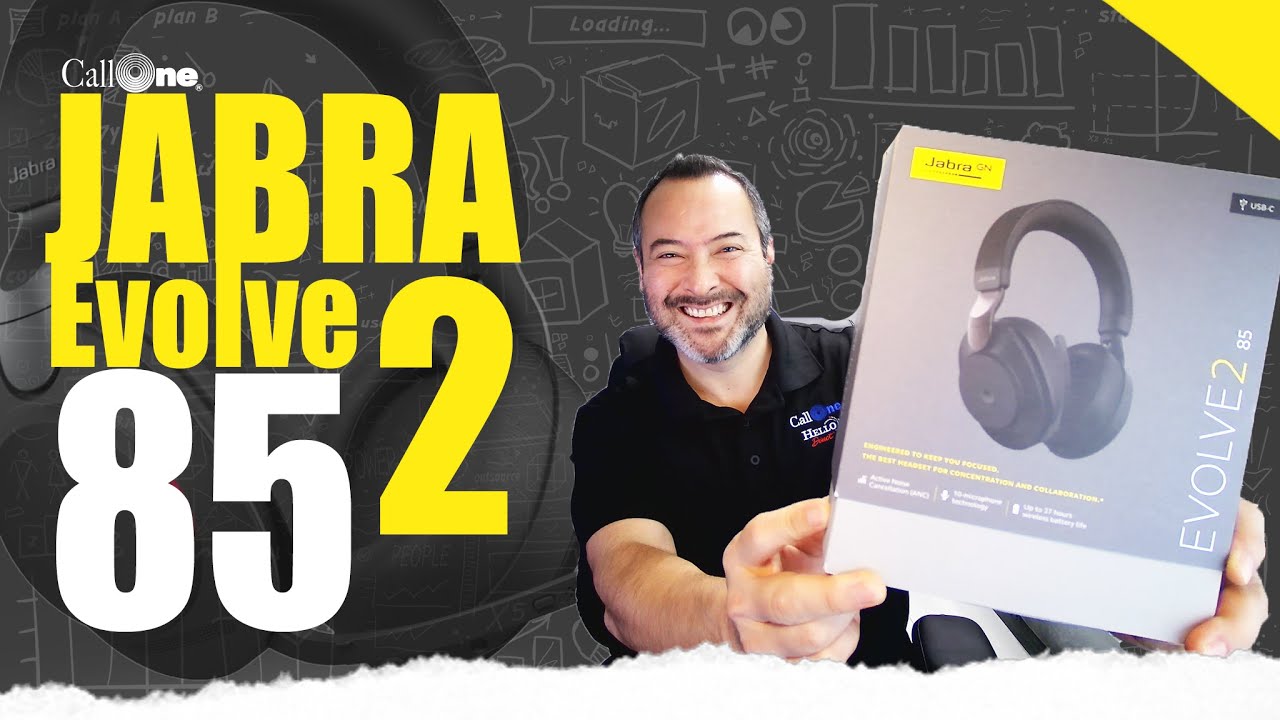
On our YouTube channel, we have several videos featuring the Jabra Evolve2 85 however, viewers have asked for definitive mic up and mic down test to settle once and for all which sounds best. Additionally, we’re asked if there is difference if paired via Jabra Link 380 dongle or directly via Bluetooth to laptop. We test that as well! Stick around until the end for a link.
We set out to create instant quiet, anywhere. The result is a world-class professional headset with cutting-edge digital hybrid Active Noise Cancellation (ANC), powered by our most advanced digital chipset ever, and designed for incredible noise isolation; just put it on for instant immersion in your thoughts. It’s time to change the game. Welcome to the new standard.
Our Thoughts
After testing the Evolve2 85 with connection to the wireless dongle (boom mic up and down) Danny Hayasaka’s professional opinion is the following:
“My vote is mic down, connected to the USB dongle.”
Short and sweet and to the point, Danny!
If you have questions please feel free to reach out to us. Also, if you’re interested to see how this headset preforms, check out our YouTube video where we test different Evolve2 85 scenarios:
https://calloneinc.com/wp-content/uploads/2021/02/Jabra-Evolve2-85-mic-blog.jpg10691900Danny Hayasakahttps://calloneinc.com/wp-content/uploads/2024/11/CallOneInc_HDI2.pngDanny Hayasaka2021-02-26 15:28:542021-02-26 15:28:58Jabra Evolve2 85 Definitive Mic Test | Boom Up or Down?
This is a frequently asked question on our channel so we decided to reach out to Jabra, Poly and EPOS for their response. While you can pair your headset directly to your PC or Mac, the primary reason to use a dongle is call control. Using the pre-paired dongle will support the headset user the ability to answer and end calls via headset controls vs platform GUI. Other reasons to use a USB dongle versus pairing headset to Bluetooth are improved audio quality, increased roaming range, and overall user experience.
Integration with computer softphone and software support with Jabra Direct Full integration between a Jabra device and a computer softphone usually works only when combined with a Jabra Link Bluetooth adapter. Connecting to a computer without a Jabra Link Bluetooth adapter may provide audio capability in the device but not call control for answering and ending calls.
Bluetooth range Jabra devices obtain the best possible range when they are used with a Jabra Link Bluetooth adapter and not the built-in Bluetooth in a computer. Bluetooth performance of a computer is usually limited to a range of 2-5 meters/ 6-50 feet in a typical office environment.
Factory pairing and installation The Jabra Link Bluetooth adapter and Jabra device come pre-paired in the box. The Jabra Link Bluetooth adapter supports plug-and-play functionality, without needing to install separate software drivers on the computer.
Identification as a soundcard When pairing with the Jabra Link Bluetooth adapter, the device is identified by the computer operating system as a soundcard and can be used for all audio purposes. If a device is paired with the built-in Bluetooth of a computer, the device is usually recognized by the computer as a headset and can only be used for communication purposes.
Poly
Why are BT600 USB bluetooth adapters needed vs. pairing the headset directly to the PC/MAC?
Poly Bluetooth UC devices are full-featured and designed for optimal user experience. To fully benefit from the advanced functionality and have the most reliable audio experience, it is required that the headset is paired via the BT600 USB Bluetooth adapter versus paired directly to the PC/MAC. Poly provides function and additional benefits through the BT600 USB adapter in the following ways:
PC/MAC Bluetooth systems can vary widely in design and capability. By providing a BT600 USB Bluetooth adapter, Poly can ensure a better experience because we control both ends of the wireless connection
The BT600 USB Bluetooth adapter functions as an audio processor, which assures the best audio experience through wideband audio support—providing the highest voice quality. If connected directly to the PC/MAC, wideband audio is not possible
Without the BT600 USB adapter, PC/MAC Bluetooth systems do not typically provide capability to use the call control from the headset. Calls must be managed from the PC/MAC GUI and the buttons on the headset do not function. This eliminates mobility and provides a poor user experience
The BT600 USB Bluetooth adapter supports Poly software which provides advanced features, customization, as well as firmware upgrade capability
PC/MACs typically do not support all the required Bluetooth profiles or may assign the wrong Bluetooth profile to an application. The result can be poor audio quality, loss of audio on microphone or earphone, and inconsistent operation
The BT600 USB Bluetooth adapters enumerates to the computer as an audio device and therefore cannot act as a USB storage device. That being said, BT600 adapters cannot be used to access data on the PC/MAC
EPOS | Sennheiser
It’s the same reason for us, along with being the key to Microsoft Certification. Both the headset and dongle together is what certifies the device for use with Teams, or Skype for users still using SFB. Using the dongle will give you improved audio performance and connectivity performance as opposed to pairing native to the machine which the BT chipset can vary and may not handle audio as well as other machines etc. This is why we recommend it for most users.
Summary
As you can see, through all three partners, they have similar options on using a USB Dongle versus pairing headset to Bluetooth. Having a USB dongle is critical for having a better sound, connection, and overall better experience. Want to learn more? Check out our latest video:
https://calloneinc.com/wp-content/uploads/2021/01/Dongle-Blog-graphic-V4.jpg10691900Danny Hayasakahttps://calloneinc.com/wp-content/uploads/2024/11/CallOneInc_HDI2.pngDanny Hayasaka2021-01-14 16:25:402021-01-14 16:25:43Why Do I Need a USB Dongle vs Pairing the Headset Directly to a Computer?
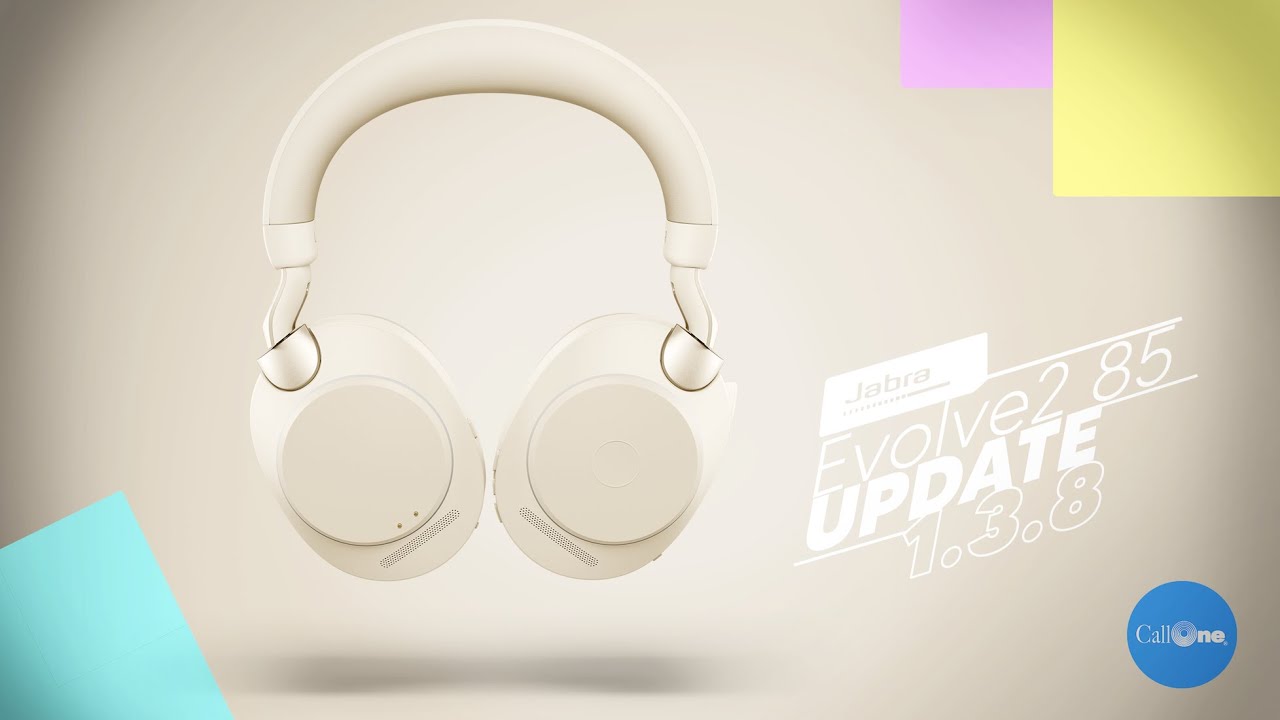
On December 17th, 2020 a Jabra Direct and software update was released that would drastically change the layout of their famed; Jabra Direct Software.Not only did they update their software, they went ahead and updated the hardware for their Evolve2 85 series to 1.3.8. What exactly did they change? Stick around and read this blog. Also, check out our latest video below covering this topic.
Update Notes
Jabra Evolve2 85
Details
Updated: improved performance of earcup microphones
Updated: improved handling of play/pause media
Updated: improved sidetone level and response
Updated: improved HearThrough level and response
Performance and stability improvements
Jabra Direct Software
Windows: 5.0.17635; macOS: 5.0.17635 Details
Updated: user experience is enhanced with new UI
Updated: added support for macOS 11.x/Big Sur* and Apple M1 Chip**
Fixed: during a firmware update the first option in the language list was not preselected
Performance and stability improvements
Pre Update Look
Post Update Look
After Research and Testing
For starters, the Jabra Direct Softwaretook a complete over haul on the previous version. The layout, color, and aesthetic is much more user friendly and pleasing to the eye (see image above). Navigation and features have greatly improved, and yes, it’s 100% free! You can download the software here depending on your operating system: Jabra Direct Windows: 5.0.17635 or Jabra Direct macOS: 5.0.17635.
As for the Jabra Evolve2 85, the biggest claim was the microphone improvement. In our test we found that the difference between the pre update and post update was virtually non-existent. Otherwise, all other patches ( improved performance of earcup microphones, handling of play/pause media, improved sidetone level and response, HearThrough level response, and stability improvements) was noticeably better.
Want to hear for yourself? Check out our latest video below where we cover the new Jabra Direct and software update for the Evolve2 85 to the 1.3.8 update. Feel free to reach out to our reps with questions you may have regarding Jabra at 1-800-749-3160 or contact us for any additional questions. Thanks for reading!
https://calloneinc.com/wp-content/uploads/2021/01/Jabra-Direct-update-blog-header.jpg11001956Danny Hayasakahttps://calloneinc.com/wp-content/uploads/2024/11/CallOneInc_HDI2.pngDanny Hayasaka2021-01-08 14:41:212021-01-08 14:41:25Jabra Direct Software and Evolve2 85 Firmware Updates!
The Jabra Biz 2400 II has a superior noise-cancelling microphone that helps eliminate background noise to give a better customer experience. In this post, we discuss the multiple BIZ 2400 II variants available to support connectivity to desk phone or computer. And of course, we test how well the NC mic performs!
Features
Breath-resistant microphone with noise cancellation
Reinforced cord and programmable buttons for USB variant
40% lighter than competitors, soft pouch leatherette ear cushions, headphone padding and 360° flexible spin boom arm
Category best quality and the lightest in its class
The Jabra Biz 2400 was developed with one goal in mind: to be the world’s best corded contact center headset, delivering both best in class noise cancellation and acoustic shock protection, as well as the industry’s only unbreakable 360 swiveling boom and Kevlar-reinforced cord. Available in a variety of wearing styles.
Jabra’s Biz 2400 was designed with one goal in mind: to be the world’s best corded contact center headset. Ultra Noise Canceling microphones ensure in-the-room call clarity. Hand-made Neodymium speakers deliver the maximum frequency response – from narrow band to IP wideband telephony and multimedia. Kevlar reinforced cords, gold plated contacts, and an unbreakable FreeSpin™ boom ensure it stands up to the most demanding environments.
Make sure your customer only hears one agent at a time
How your agents sound to your customers impacts how your brand is perceived – so giving your agents the tools to make them and your brand look good is smart business. Jabra’s Biz 2400 is designed to deliver best-in-class audio performance, no matter how loud your contact center is. Ultra Noise Canceling microphones filter out ambient noise so only your agent’s voice comes through. The flexible boom tip ensures ideal microphone placement. And PeakStop™ technology ensures loud sounds are clipped off before they can hurt your agents’ ears. The result is crystal clear conversations – and a great customer experience.
Built to keep working – no matter how much punishment it takes
The Jabra Biz 2400 II is built to keep working, no matter what your office throws at it. Only the Biz 2400 has features like Kevlar reinforced cords, gold plated contacts, and an unbreakable FreeSpin boom that ensure it can stand up to the most demanding environments.
Comfort means productivity
A comfortable agent is a productive agent – so being able to personalize the headset you’re supposed to be wearing all day is critical. This means the Jabra Biz 2400’s attention to comfort is an important productivity tool. Features like soft ear cushions, a fully adjustable headband, and a variety of wearing styles allow agents to fit the Biz 2400 to their unique wearing style – which means it stays on their heads longer. Check out our video where we take a deep dive into this product!
https://calloneinc.com/wp-content/uploads/2020/12/Jabra-Biz-2400-II-lifestyle.jpg6391900Danny Hayasakahttps://calloneinc.com/wp-content/uploads/2024/11/CallOneInc_HDI2.pngDanny Hayasaka2020-12-22 13:59:222020-12-22 13:59:2612 Days of Call One | Day 9 | Jabra Biz 2400 II
This has been a highly requested topic; what is the difference between Jabra Evolve2 65 and Evolve 75? Which one is better? We answer those questions in this video and do a quick side by side mic test! Both units are UC and Microsoft Teams certified. Both offer connectivity to PC and mobile device. Both can be used via corded USB cable if you forget to charge! Before we dive into the video, lets take a look at the Jabra Evolve75 ans Evolve2 65 and what they feature.
Jabra Evolve 75
Features
World-class speakers and HD voice for crystal-clear calls and music
Superior ANC and integrated busylight to reduce noise and interruptions and increase productivity
Dual Bluetooth® connectivity to two devices at the same time for calls and music and wireless range of up to 100ft/30m from your connected device
Give your concentration an added boost with the Evolve 75. If you spend a lot of time walking the corridors, the noise-isolating design of the Evolve 75 makes it a great choice, and the added boost from Active Noise Cancellation (ANC) allows you to really focus when you need to. Stop interruptions before they happen with a built-in busylight that acts as a do-not-disturb signal to your colleagues, letting them know when you’re too busy to chat. The light comes on automatically when you’re on a call, or you can also enable it manually when you’re trying to concentrate.
The Evolve 75 provides crystal-clear calls wherever you are. Professional-grade microphones and a boom arm give all of your calls over multiple UC platforms including Zoom, Microsoft Teams, Cisco and 8×8 a competitive edge with crystal-clear incoming and outgoing audio – whether you’re sitting at your desk, walking between meetings, or grabbing half an hour in a break-out room – compatibility with multiple UC platforms keeps you truly flexible.
The battery in the Evolve 75 gives you all-day freedom, and then some. With up to 18 hours of talk time, you can roam as much as you like, without ever needing to worry about running out of battery in the middle of a call. And with the optional charging stand, your headset is always fully charged and ready for the day. Be available from anywhere with dual Bluetooth connectivity that allows you to connect your headset simultaneously to both your computer and your smartphone, so wherever you wander, you don’t have to worry about missing that all-important call.
Jabra Evolve2 65
Features
Binaural Wireless Headset with charging stand and USB-A dongle
Noise-isolating design
Up to 37 hours battery life
On-ear wearing style
3-microphone call technology
Microsoft Teams Version
Jabra Evolve2 65 can give you better calls for seamless collaboration everywhere. Jabra has made the incredible call performance of our world-leading Evolve series even better, with an advanced digital chipset that’s three times more powerful and three strategically placed professional microphones, filtering out 23% more background conversation noise from your calls. Since the Evolve2 65 is UC-certified, collaborating is easy and everyone is happy, with both their Unified Communications (UC) platform and their headset. The headset works with all leading UC platforms and is optimized for Zoom for truly seamless communication. Evolve2 65 also has an MS variant, which makes it Microsoft Teams-certified with a dedicated Teams button.
Being that the Evolve2 65 features bigger speakers, a better chipset, and brilliant audio; you’ll never miss a thing, thanks to powerful leak-tolerant 40mm speakers and Jabra’s most advanced digital chipset ever, delivering outstanding audio that always keeps you in the loop wherever you’re working from. The Evolve2 65 also brings in noise isolation like never before. When you put on your Evolve2 65, feel the noise around you instantly fade, wherever you happen to be working from. Memory foam oval ear cushions and pioneering new angled design cancels 48% more of the noise around you.
The Jabra Evolve75 and Evolve2 65 both feature a busylight, but it’s improved here on the Evolve2 65, which also helps you zone in and focus whether distance learning or working remotely. The new and improved busylight on the Evolve2 65 is four times more visible, allowing you to be seen from every angle, for even fewer interruptions. So, wherever you need to work from today, at least you know you can work in peace. The Evolve2 65 is enhanced for all-day comfort. With soft leatherette ear cushions and a lightweight, flexible design, the headset is engineered to be comfortable enough to wear all day – from the first call of the day, to the last run-through with your boss before tomorrow’s presentation.
Taking it to the test!
Now that you’re up to speed, lets talk about the test. There are a ton of similarities and differences between these two headsets, but which one comes out on top, the Jabra Evolve75 or Evolve2 65? Their output is nearly identical but choosing which one is based solely on your use case. Are you looking for more comfort? Go with the Evolve2 65. Do you want active noise canceling? Go with the Evolve 75. If you need more information on these products click the link below. This video should help you narrow down your decision:
https://calloneinc.com/wp-content/uploads/2020/12/Jabra_Day7.jpg6801209Danny Hayasakahttps://calloneinc.com/wp-content/uploads/2024/11/CallOneInc_HDI2.pngDanny Hayasaka2020-12-20 10:09:202020-12-20 10:16:2912 Days of Call One | Day Seven | Jabra Evolve 75 vs Evolve2 65
Today we’re revisiting the Jabra Evolve 80. We covered the Evolve 80 MS variant back in 2014 when it first launched. As part of Jabra’s Meet the Professionals line of solutions, the Evolve 80 is a great headset for the desk worker. For instance, someone who needs no interruptions and desires freedom to focus. As more people are working remotely or transitioning to hybrid work or remote learning; blocking out background noise to concentrate and focus is something more and more people are starting to realize is becoming a necessity or need in an optimal work environment.
The Evolve 80 features ANC (active noise cancelling) and a busy light for fewer interruptions plus what Jabra calls, ‘passive noise cancellation’, with the help of large over-ear cups eliminating high-frequency noise, such as human voices; coworkers or kids shouting in the background, the excellent passive noise cancellation, helps to dull the sounds of noisy colleagues thanks to specially-designed ear cushions.
Work is becoming less of a place you go to and more of a thing you do. If you’re someone who’s a remote worker or learning from home, can you relate? As more companies encourage their employees to work from home or from the road, demand for solutions that support this new form of working is higher than ever. At home, on the road or in the office, it is important to have reliable ways to connect, collaborate and communicate with others. The Jabra Evolve 80 is UC-certified and compatible with all leading Unified Communications platforms including Cisco, Zoom, Microsoft Teams and 8×8. The Evolve 80 is engineered to keep you versatile and connected. Furthermore, with flexible connectivity, you can choose between USB-A, USB-C or 3.5mm jack.
With easy call control, you can answer calls, mute your microphone and turn the volume up and down, without having to open your UC platform, or interrupt your work flow. This helps you stay productive, even when you’ve got a lot on your plate. Evolve 80 has professional-grade microphones and a boom arm for precision voice transmission, so your calls always sound crystal-clear, even when you’re sitting in the middle of a busy office. Take a look below at our mic test and overview of the Evolve 80 as we go more in-depth and subscribe to our Youtube channel for similar videos like these.
https://calloneinc.com/wp-content/uploads/2020/12/Jabra-Evolve_80-lifestyle-3.jpg10001920Danny Hayasakahttps://calloneinc.com/wp-content/uploads/2024/11/CallOneInc_HDI2.pngDanny Hayasaka2020-12-17 16:09:132020-12-17 16:09:1612 Days of Call One | Day 4 | Jabra Evolve 80
With more people working from home as well as the rise of remote learning, the ability for the headset wearer to block out surrounding noise via ANC speakers has become very important. Typically, the best ANC (Active Noise Canceling) comes from headphone style headsets. Additionally, they need to be compatible with leading business collaboration platforms from Microsoft, Zoom, Cisco, Google, and more!
The challenge? When comparing the best headsets, how well do the mics perform in a noisy home office environment?
Product Information
SIMILARITIES AND DIFFERENCES
BOSE 700 UC
EPOS ADAPT 660
JABRA EVOLVE2 85
POLY VOYAGER 8200 UC
UC Certified
✔️
✔️
✔️
✔️
ANC
✔️
✔️
✔️
✔️
Padded Headband
✔️
✔️
✔️
✔️
Bluetooth 5.0
✔️
✔️
✔️
✔️
MSRP
$449
$439
$429
$379
Weight
9oz
8oz
10oz
10.1oz
Battery Life
20hrs
30hrs
37hrs
20hrs
This graph demonstrates the features, pricing, and weight of each headset:
So Which is the Best? Unfortunately, there is no “best headset”. However, there is a best headset for you. What is your use-case? Where are you working? How are you working? If you want more information on choosing the best headset, check out this video we made, highlighting the key points for choosing a headset:
In this video we do our best to nail the information, and get the details, facts and figures out as smooth as possible comparing the best headsets based on microphone audio quality. This is a non-biased review of the Bose Noise Cancelling Headphones 700 UC, EPOS Adapt 660, Jabra Evolve2 85, and Poly Voyager 8200 UC. If you have any questions regarding these items, please, feel free to reach out to us and check out our other videos on Youtube and subscribe. Enjoy the video below!
https://calloneinc.com/wp-content/uploads/2020/11/Headset-blog-banner.jpg8441500Danny Hayasakahttps://calloneinc.com/wp-content/uploads/2024/11/CallOneInc_HDI2.pngDanny Hayasaka2020-11-06 11:15:402020-11-06 11:21:12Comparing The Best Headsets
From Jabra; “We set out to create instant quiet, anywhere. The result is a world-class professional headset with cutting-edge digital hybrid Active Noise Cancellation (ANC), powered by our most advanced digital chipset ever, and designed for incredible noise isolation; just put it on for instant immersion in your thoughts.”
From Jabra; We set out to create instant quiet, anywhere. The result is a world-class professional headset with cutting-edge digital hybrid Active Noise Cancellation (ANC), powered by our most advanced digital chipset ever, and designed for incredible noise isolation; just put it on for instant immersion in your thoughts.
Features
Jabra has built a headset with powerful leak-tolerant 40mm speakers. Factoring in the advanced chip and the latest AAC software, and your business calls will sound better than ever.
Busy lights have been innovated to make sure it’s visible from all angles. The red light is automatically activated when you’re on a call or in a meeting, or you can activate it yourself at the touch of a button.
With a whopping 37-hour battery life, Jabra has set a new precedent in industry leading technology.
The Evolve2 85 works with all leading Unified Communications (UC) platforms, for easy collaboration. If your preferred UC platform is Microsoft Teams, the Evolve2 85 is well adapted and optimized to give you a seamless experience.
Jabra has already promised to release multiple updates to better the firmware/software, pushing this headset even higher. value packs are already on the way to boost it even further. There are numerous differences between the Evolve2 series and Evolve series, but the biggest take away is the hardware, software, and of course, being UC certified with the industry’s largest platforms.
In our video, we overview some of the features of the Jabra Evolve2 85. We discuss how this headset can be utilized in a business scenario, as well as a work from home scenario. To finish it off we get into the mic tests with boom down and up. Check it out below and take a look at all Jabra Evolve2 85 headsets here!
https://calloneinc.com/wp-content/uploads/2020/06/Evolve2-40-Featured.jpg8001067Danny Hayasakahttps://calloneinc.com/wp-content/uploads/2024/11/CallOneInc_HDI2.pngDanny Hayasaka2020-06-26 16:39:152020-11-16 09:10:02What’s the difference between Evolve 40 and Evolve2 40?
https://calloneinc.com/wp-content/uploads/2018/07/How-do-you-choose-the-right-headsets-for-your-organization-Part-I.jpg432768Danny Hayasakahttps://calloneinc.com/wp-content/uploads/2024/11/CallOneInc_HDI2.pngDanny Hayasaka2019-10-01 10:08:072020-05-11 16:37:22Headset Compatibility is Important